If you are currently a member, or you’ve just joined our membership (a very big welcome to our wonderful harp community!🎉) and you’re struggling to find our Skills Library, here’s how to find it!
There are a few ways to access the Skills Library once you’ve logged into your Learning the Harp profile 😊
At the top of the page you’ll see a couple of tabs. One of them is ‘My Learning Materials‘. If you hover your mouse over that tab, a menu will appear. At the top of that menu is ‘Skills Library’ (see image below):
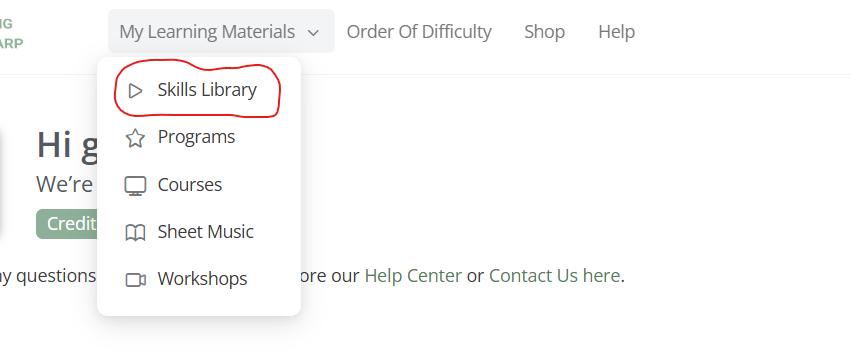
If you click on that, you’ll be taken directly to the Skills Library.
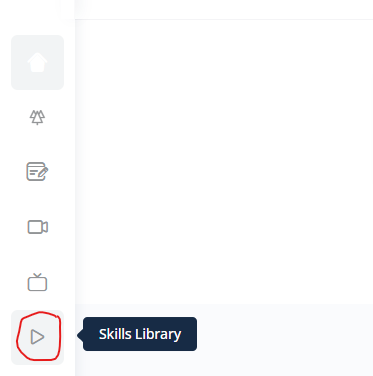
The 2nd way to find the Skills Library is to click on the icon from your profile/dashboard:
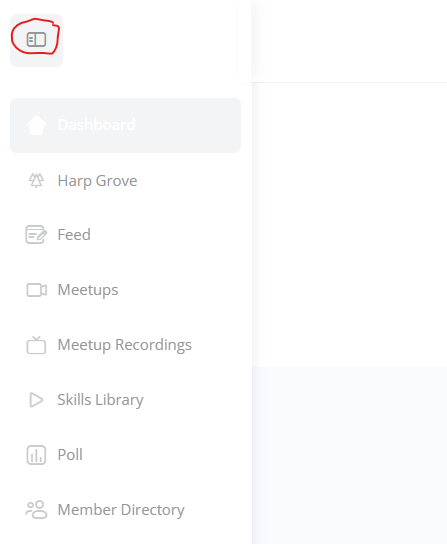
If you click on the icon in the top left corner of your screen, it’ll expand the list to include the title of each of the icon options (see image below):
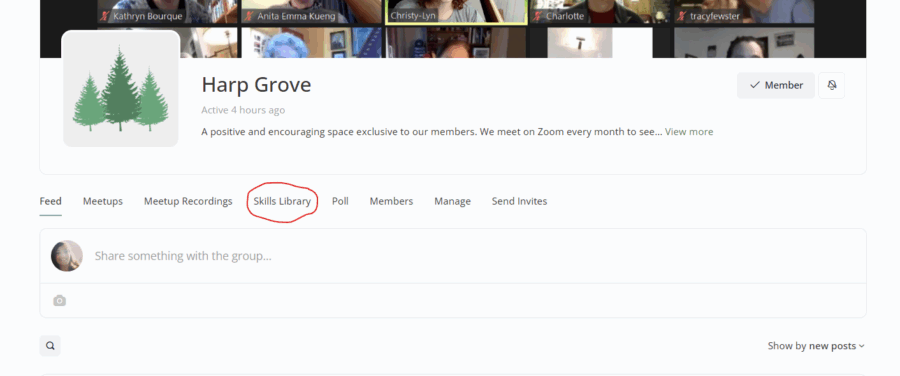
The 3rd way to access the Skills Library is to open Harp Grove – so click on the 3-trees icon at the top of the list of icons on your screen. From there you’ll be taken to the Harp Grove page. The page will default open to the ‘Feed’ tab, but you’ll see ‘Skills Library’ just a little further along:
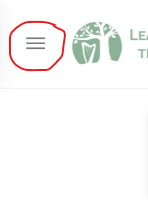
Once you’ve logged into your profile, click on the icon in the top left-hand side of your screen:
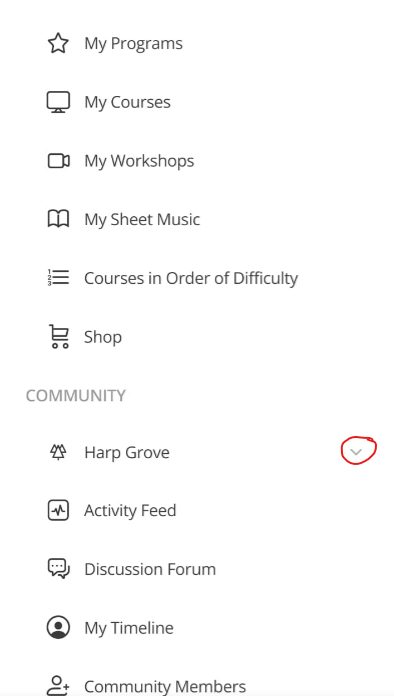
A menu will appear. Scroll down until you see the Community section. Under there you’ll see ‘Harp Grove‘ – next to it is a little down arrow:
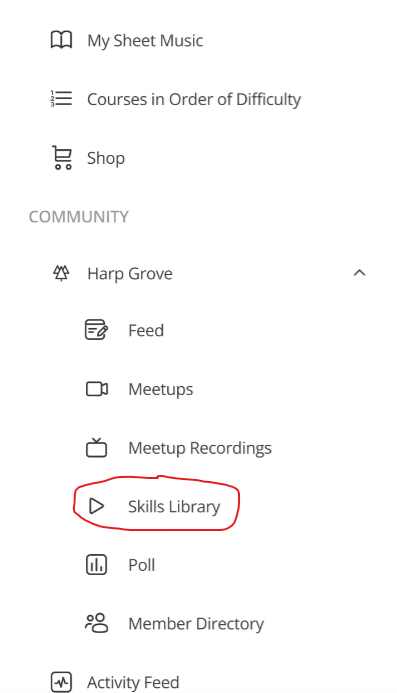
Once you’ve clicked on the down arrow, the Harp Grove menu will appear:
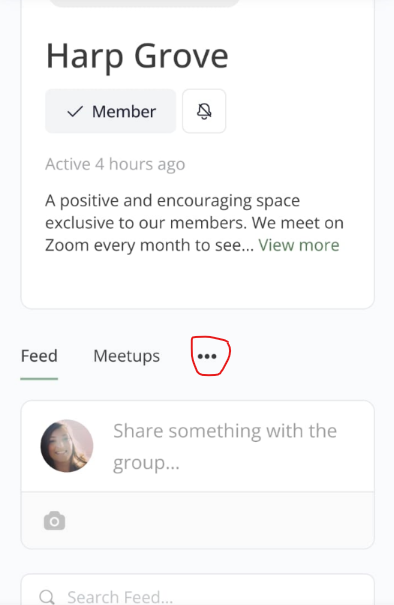
If you’re already in the Harp Grove feed and you’d like to go to the Skills Library from there, you’ll see a line of 3 dots next to ‘Meetups’ at the top of the page:
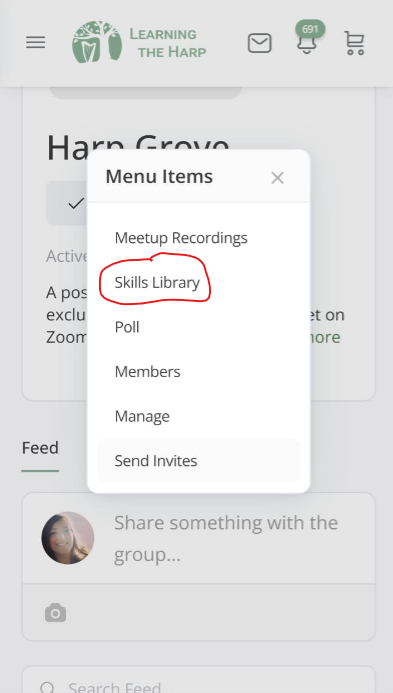
If you click on the 3 dots, a menu will appear:
If you have any further questions, or you’re struggling with anything, please feel free to email Glenda at [email protected].