If you’re struggling to find your courses, sheet music or your programs, heres how you find them:
At the top of your screen you will see a tab saying ‘Learning Materials‘. If you hover your mouse over the tab this menu will appear:
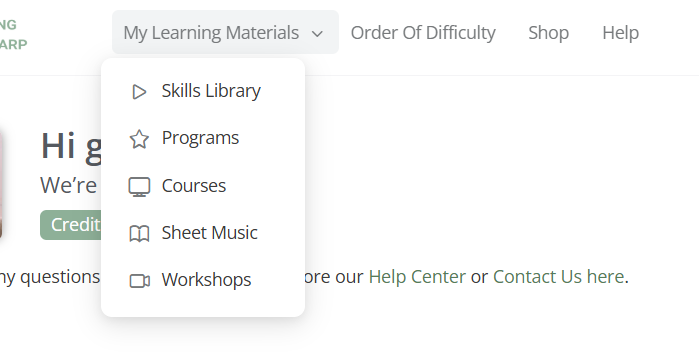
You’ll find your resources in these options by selecting on the item you’re wanting to find, whether it be one of your courses, a program you’re currently working on or sheet music. Each of these options will take you to any of the items you’ve bought and have access to.
If you click on ‘My Learning Materials’ instead of hovering your mouse of the tab, you’ll be taken to a page that looks like this:
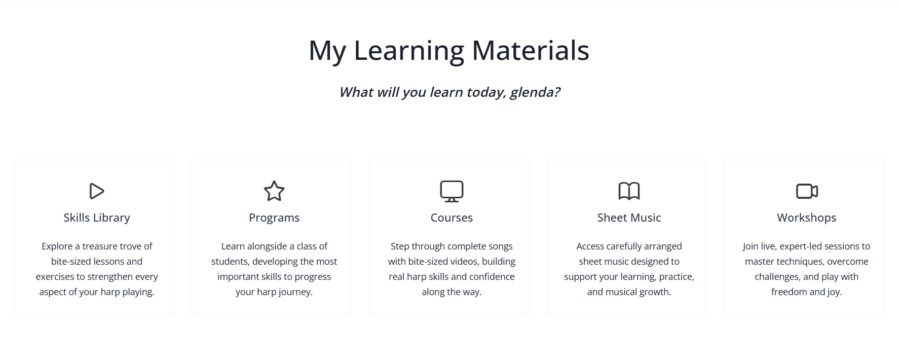
The same thing – if you select the item you’re looking for (course, program etc), you’ll be taken to your library of resources.
To note: if you are not a member, you won’t see ‘Skills Library’ as one of the options above, because this is a perk of being a Monthly or Annual member. If you would like to know more about our memberships, you can click here: Learning the Harp Memberships
Once you’ve logged into your profile, click on the icon in the top left-hand side of your screen:
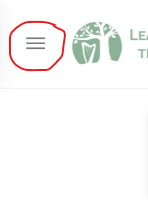
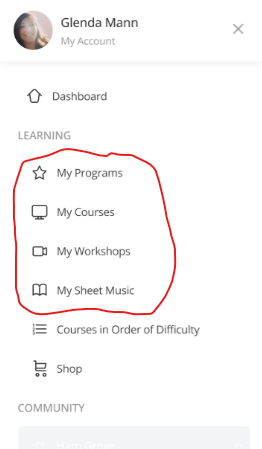
A menu will appear. The first section will be ‘Learning’. In this section you will be able to access all your resources:
If you have any further questions, or you’re struggling with anything, please feel free to email Glenda at [email protected].